
Create a Digital QR Menu for Your Restaurant in Minutes
Add your categories and dishes, set prices, upload photos — your QR menu is ready to share. Edit anytime, changes appear instantly.
No credit card required. Free plan available.
How the Menu Editor Works
Simple tools that get your menu online fast.
Add Categories & Dishes
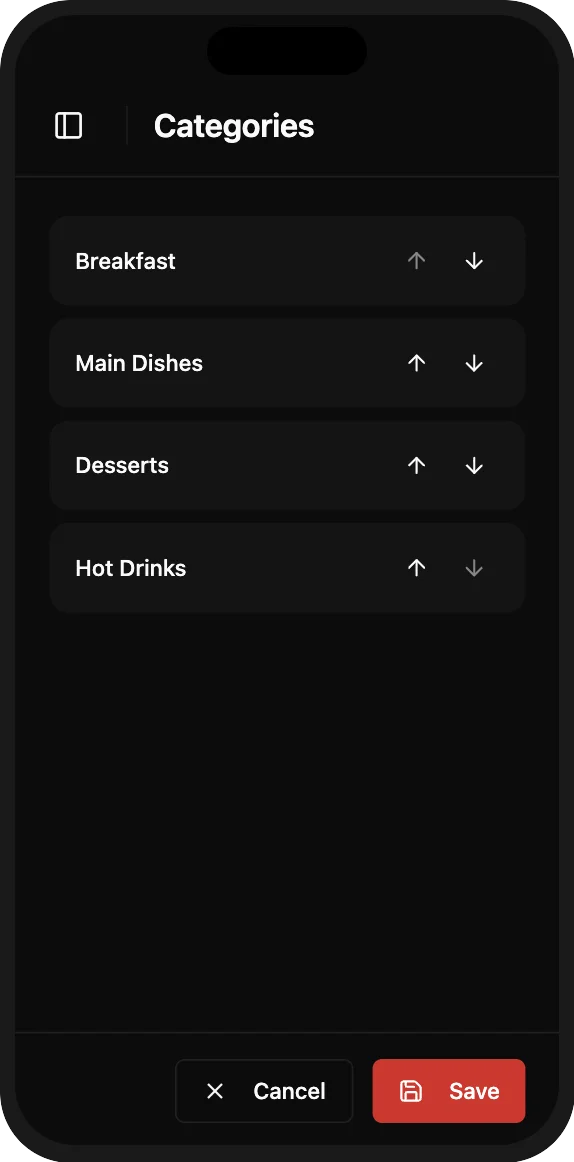
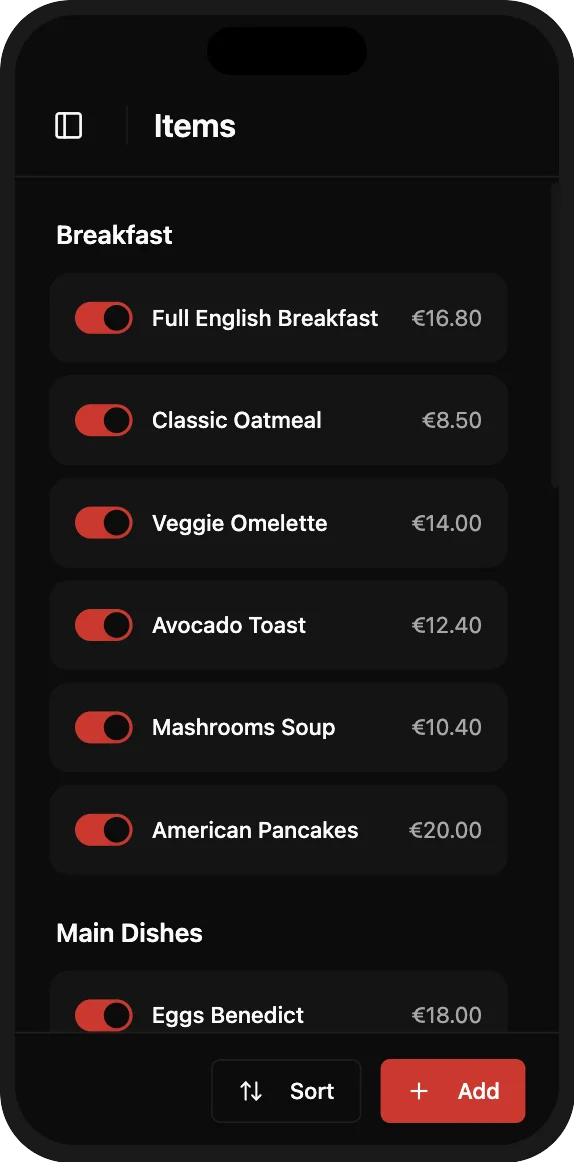
Create categories like Starters, Mains, Drinks — then add dishes with names, descriptions, prices, and photos. Drag and drop to reorder. Toggle items on or off without deleting them.
Add Categories & Dishes
Create categories like Starters, Mains, Drinks — then add dishes with names, descriptions, prices, and photos. Drag and drop to reorder. Toggle items on or off without deleting them.
Changes Go Live Instantly
Every edit you make appears on your live QR menu within seconds. Update a price, add a daily special, or hide a sold-out dish — your customers always see the latest version.
Changes Go Live Instantly
Every edit you make appears on your live QR menu within seconds. Update a price, add a daily special, or hide a sold-out dish — your customers always see the latest version.
Key Benefits
How It Works
Build and publish your restaurant menu in five simple steps.
Create Categories
Add categories like Starters, Mains, Desserts, and Drinks to organize your menu. You can create as many categories as you need and reorder them with drag and drop.
Add Menu Items
Enter the dish name, description, and price for each item. Mark allergens if applicable — guests will see allergen icons on the menu automatically.
Upload or Generate Photos
Upload your own food photos from your phone or computer, or use AI to generate a professional food image from the dish name. Images are optimized automatically.
Organize with Drag and Drop
Reorder categories and items by dragging them into place. Toggle any item on or off without deleting it — perfect for daily specials or sold-out dishes.
Publish Your Menu
Changes appear instantly on your live QR menu. There's no 'publish' button — every edit goes live in real time. Print your QR code and place it on your tables.
Frequently Asked Questions
Everything you need to know about creating your QR menu.
One plan. Everything included.
QR menu, ordering system, AI translation, restaurant website & reservations.
One simple price.
No credit card · Cancel anytime
Still have questions?
Write to us — we'll answer all your questions and help you create your menu.
Ready to Get Started?
Create your professional QR menu and restaurant website in minutes. All features included.